 puh.gg
Choosing a username
Which characters you can use, how long a name can be and what happens when you change it.
Profile → Address
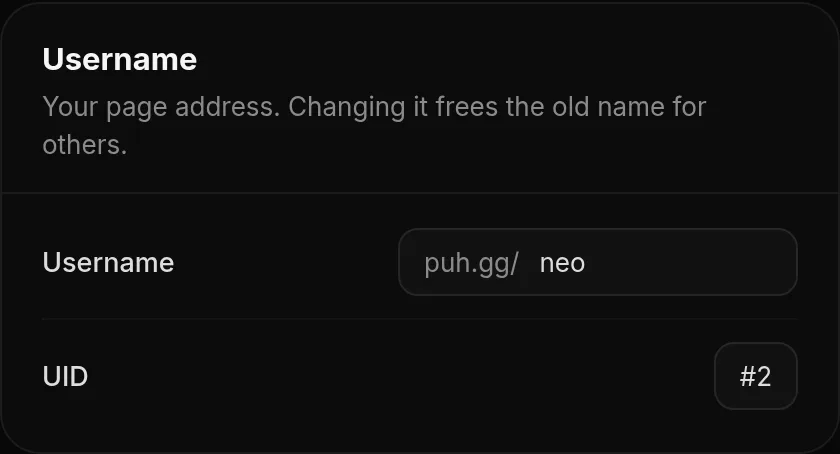
Your username is your address: puh.gg/yourname. It is shown in your browser tab, on your link preview and wherever people share your page.
What a username can look like
- 1 to 24 characters. Single characters are fine.
- Letters A-Z, numbers and keyboard signs like
$ ! . _ -. - No spaces, no
€, emoji, accents (like ä) or letters from other alphabets. They could be used to copy someone else's name with lookalike letters. - Not allowed:
# % & / ; = ? \because they break web addresses. - Some names are reserved for the site itself, for example
dashboardorsupport.
Names are not case sensitive: Milla and milla are the same name.
| Example | Allowed? | Why |
|---|---|---|
$ | Yes | One keyboard sign is a valid name. |
milla.dev | Yes | Letters, a dot and letters. |
x_x | Yes | Underscores are fine. |
my name | No | Spaces are not allowed. |
jürgen | No | Accents are not allowed. Use juergen or jurgen. |
50% | No | % breaks web addresses. |
Change your username
- Open Profile in your dashboard.
- Under Username, type the new name and click Change.
The change is instant. There is no waiting time between changes. Your design, links, views, badges and comments all stay; only the address changes.
One of your own aliases can become your username in one step: type it under Username and click Change. It then stops being an alias, so it does not use an alias spot anymore.
Username and display name
The display name is the big name on your card. It can be up to 40 characters with spaces and any letters. Change it in Profile, Name and text. Your username only decides the link.
Your UID
Every account also has a UID, a number in the order accounts were made. It is shown in Profile, Address and never changes, even when you change your username.
The name I want is taken
Names are first come, first served. If the account breaks our rules or has clearly been abandoned, ask in a support ticket. The team decides case by case. Names of banned accounts are held by the team and can be given out on request.