 puh.gg
Backgrounds: images, GIFs and videos
Upload up to 10 backgrounds, mix images and videos and let them rotate behind your page.
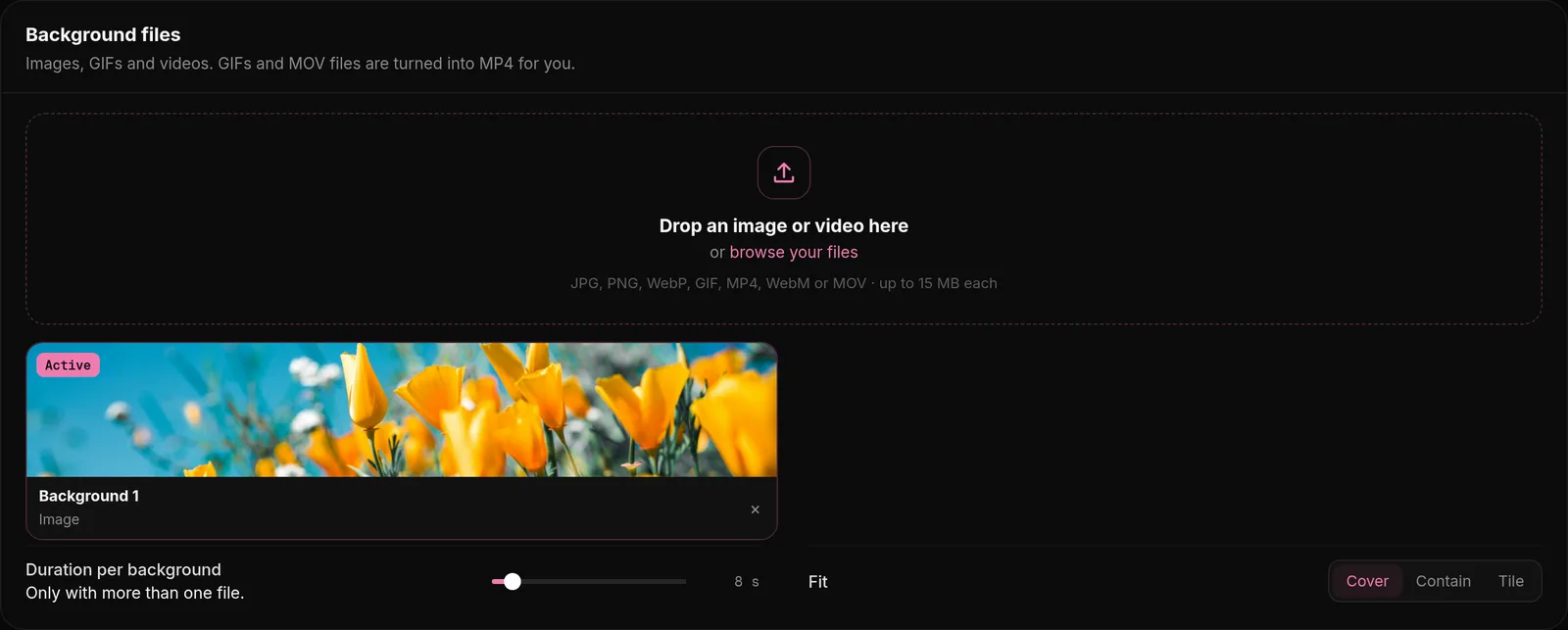
Open Background. Under Background files, drop a file or click the field to pick one. It saves right away and shows up in the list.
Which files work
Background → Image or video
| Type | Formats | Limit |
|---|---|---|
| Image | Any image | Up to 100 MB, stored at 15 MB at most |
| GIF | GIF | Up to 100 MB, turned into a video |
| Video | MP4, WebM, MOV (iPhone) | Up to 100 MB, stored at 15 MB at most |
Files over 15 MB are compressed for you while they upload. A video stays a video with its sound, and pictures keep their look; a very large file can take a minute.
You can have up to 10 backgrounds. Use a picture in landscape format (for example 1920 x 1080) so it fills big screens; on phones the middle part is shown.
GIFs and iPhone videos
We turn GIFs and iPhone videos (MOV, HEVC) into a normal MP4 video when you upload them. It looks the same, loads much faster and works in every browser. This takes a few seconds for big files, so wait until the upload is done.
Several backgrounds
- With more than one background, they change one after the other.
- Duration per background sets how long each one stays, from 2 to 60 seconds, for videos too.
- Shuffle plays them in random order. Loop starts over after the last one.
- Change the order with the arrows or by dragging, depending on your setting in Settings, Preferences, Reordering.
Sound of a background video
Browsers only allow sound after a visitor has clicked on the page. If you have no songs in your audio playlist, the sound of your background video turns on after the visitor clicks through the enter screen. If you have songs, the video stays muted and your music plays instead.
Remove a background
Click Remove next to the background in the list. It is gone from your page right away. Removing all of them brings back the flowing background, color, gradient or scene from Background, Color and gradient.
Tips for background videos
- Short loops of 5 to 15 seconds look smooth and stay small.
- 1920 x 1080 is plenty; bigger videos only load slower.
- Cut long videos before uploading to stay under 15 MB.
- Calm motion behind your card is easier on the eyes than fast cuts.