 puh.gg
The enter screen (click to enter)
The screen in front of your page. It also lets your music and video sound start.
Every public page starts with a click to enter screen. The click matters: browsers only allow sound after a click, so this is what starts your music.
Change it
Effects → On load
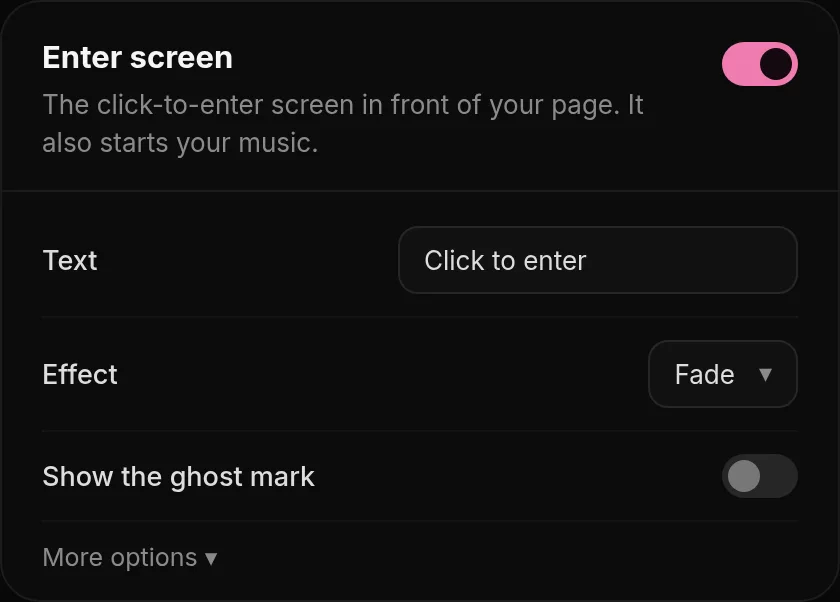
Open Effects, Enter screen. You can change the text and a smaller Second line under it, the text and glow color, how blurry and how covered the page behind it is, the effect and how long it takes to go away.
Turn off Line under the text to hide the short glowing line.
| Setting | Range |
|---|---|
| Text | Up to 60 characters. Default: Click to enter. |
| Second line (optional) | Up to 100 characters, for example Turn your sound on. |
| Blur behind | 0 to 30 px: how blurry your page looks behind the screen. |
| Cover | How strongly the screen covers your page. |
| Exit duration | 200 to 1500 ms for the screen to go away. |
Music does not start? Check that Autoplay after the enter screen is on in Music & media, Player. The music starts with the click on the enter screen. See Music.
Was this helpful?Updated Oct 22, 2026